WWW.
Inventory System

Clinic-ready inventory, ordering, scanning, and safety.
Built your way.

This is a real working example of an inventory platform we build for offices and teams who want speed, accuracy, and accountability - with barcodes, expiry lots, ordering workflows, and clean UI that your staff will actually use.

Built to your office needs, not a boxed product.

Every inventory system we create is developed around your workflow, your team, and your rules. Your setup can be altered in any way you want as you grow. Also… it doesn’t even have to be inventory. If you can describe it, we can build it: internal tools, dashboards, booking, portals, automations.. anything.
Screenshots: click image to enlarge, or use dots/arrows (← →)
1 / 7
Add and edit items, barcodes, ordering, expiries
Items • Barcodes • Expiry lots
Screenshot 1

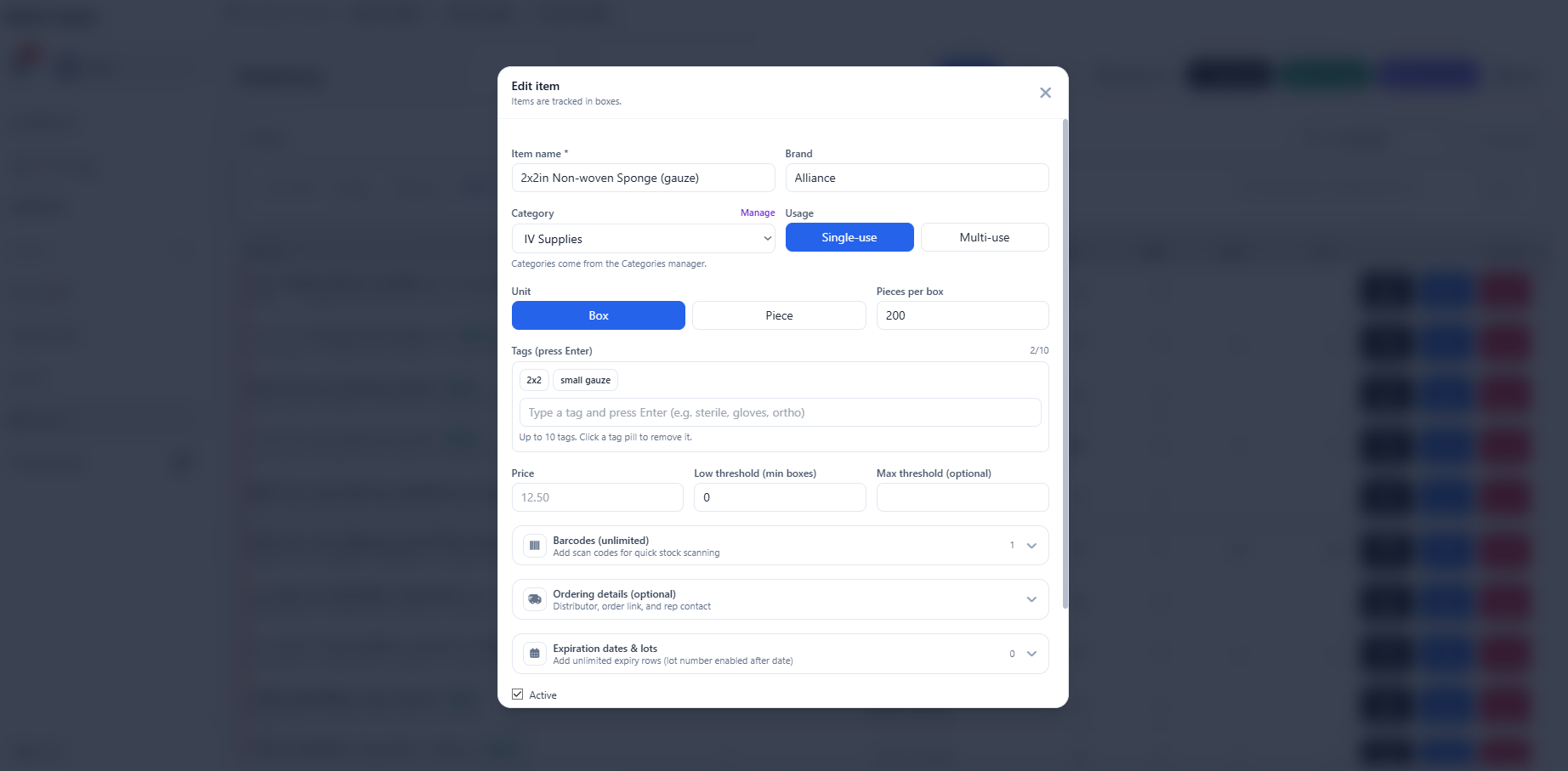
Add & edit items (with scanning + safety)

Add and edit items, including barcodes that can be scanned to add/search fast. Save order details for quicker one-click ordering later. Track expiration dates with custom warning thresholds per item and lot for next-level organization and safety.
Perfect for: fast lookup, clean stock control, and expiry confidence.
Create new orders, statuses, auto inventory on received, documents
Orders • Receiving • Documents
Screenshot 2

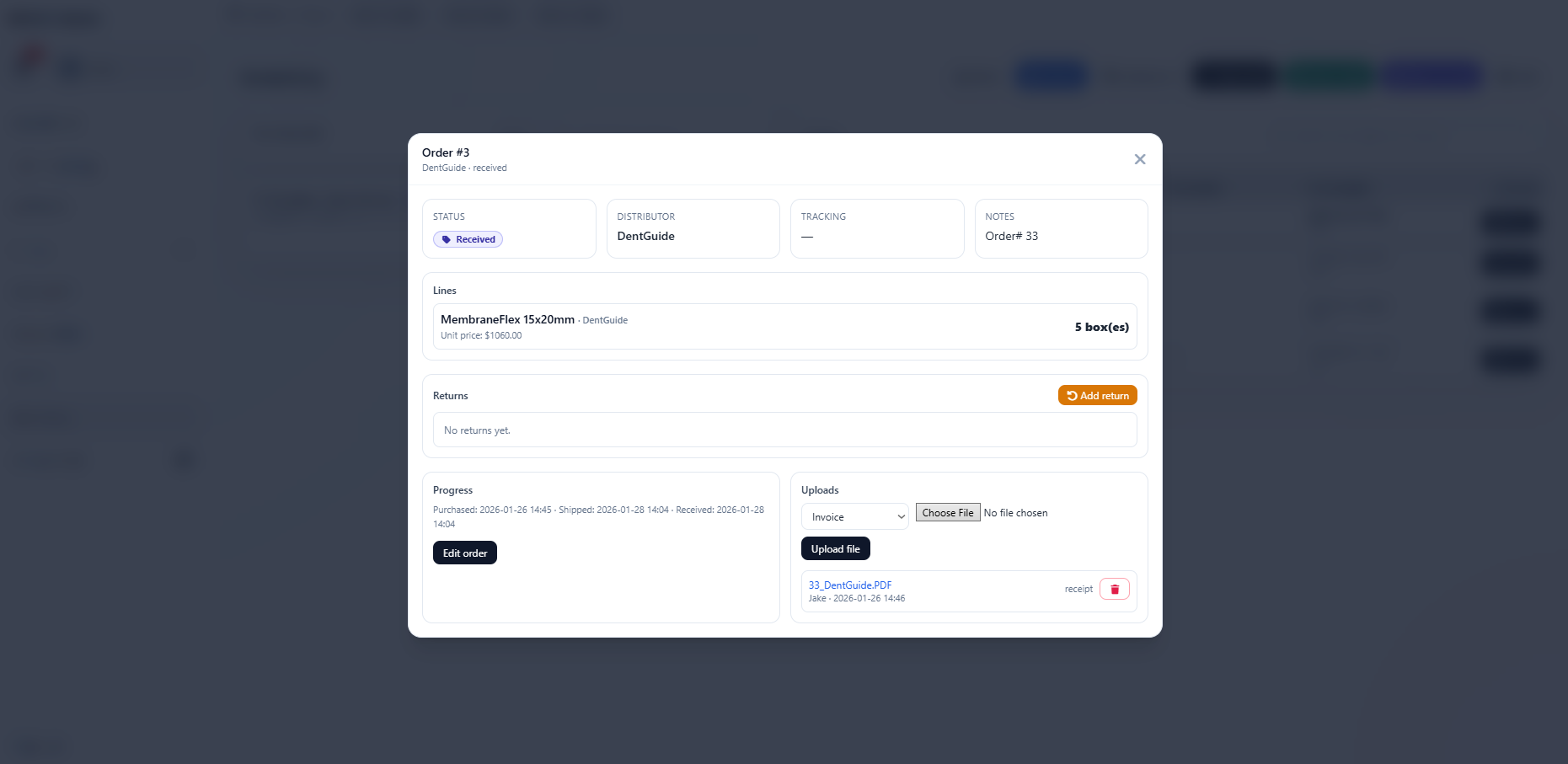
Orders + receiving workflow

Add new orders, change status, and (optionally) update inventory automatically when marked as received. Upload documents per order (invoices, PDFs, confirmations), and add multiple items to one order.
Perfect for: reducing “where is that order?” chaos.
Returns management, linked to orders, optional stock adjustment
Returns • Status • Adjust stock
Screenshot 3

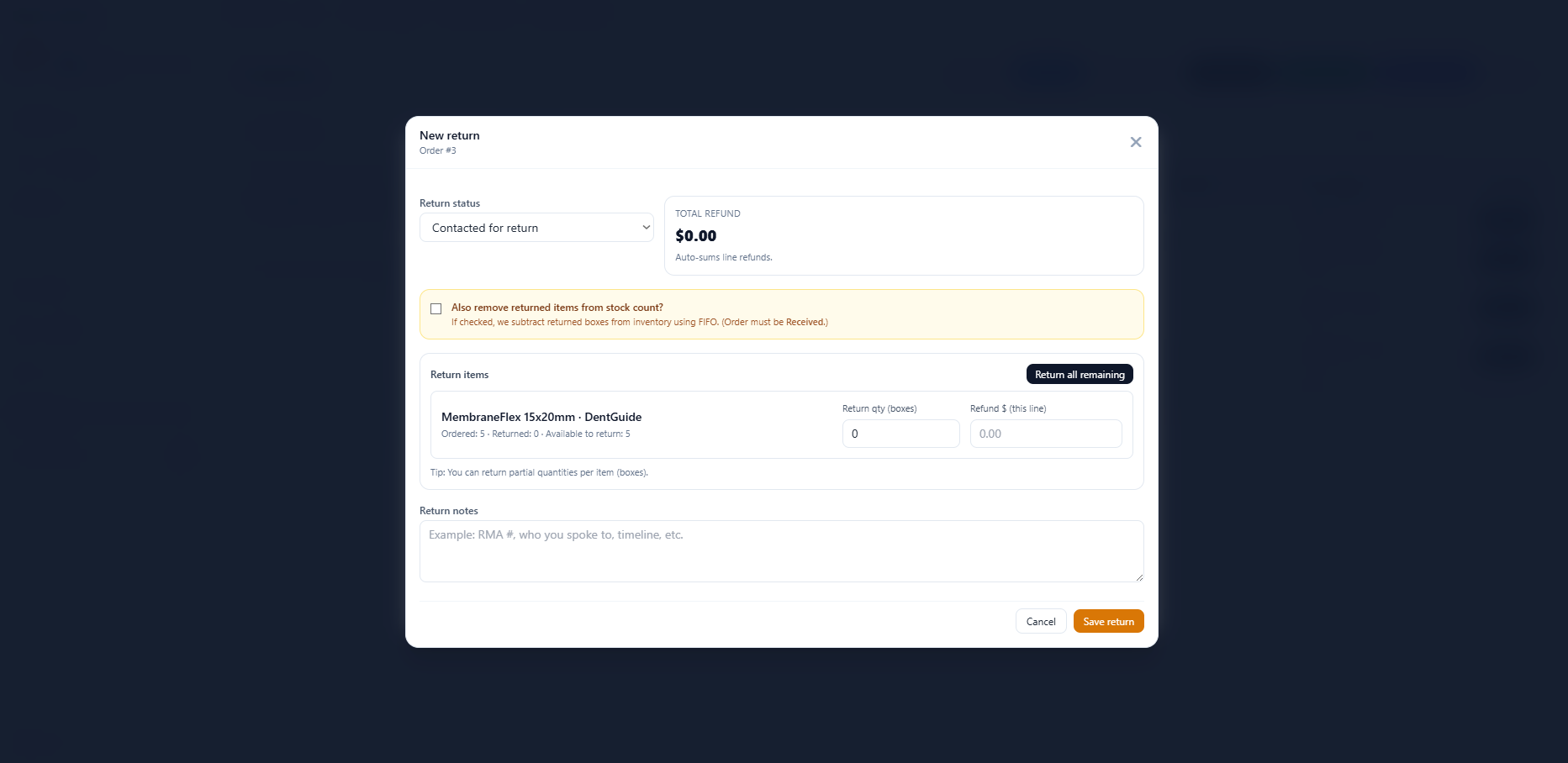
Returns that stay tied to reality

Add returns and select specific items and counts from the original order. Describe the return, steps taken, and amount. Optionally remove returned items from inventory count automatically, and track progress by status.
Perfect for: accountability and clean reconciliation.
Categories and colors for visual rows, filterable index
Categories • Colors • Filtering
Screenshot 4

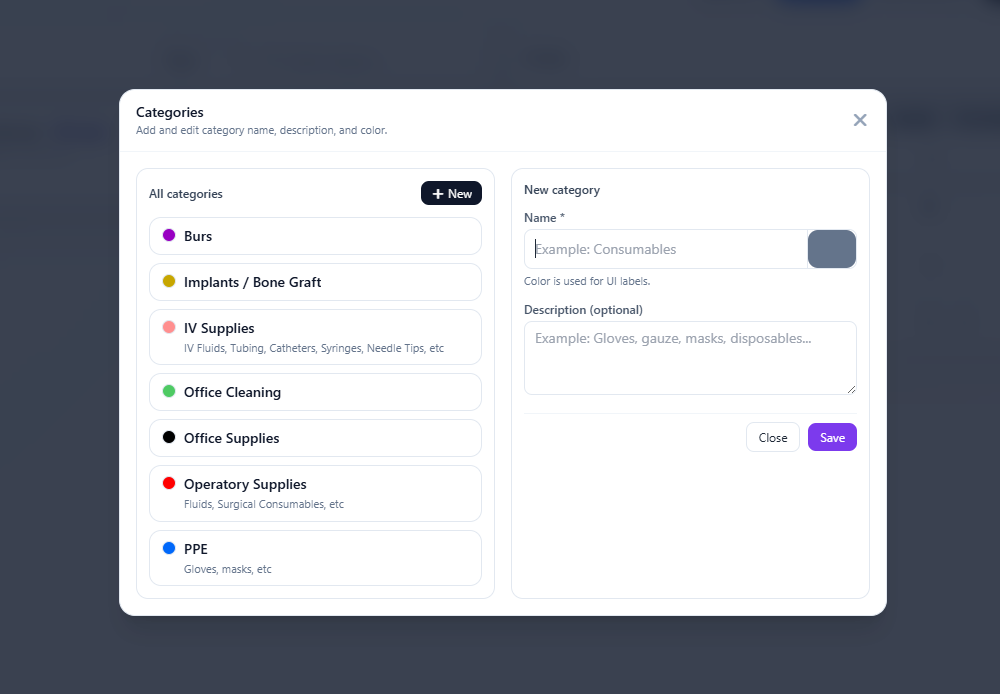
Categories with color-coded clarity

Add categories for organization, assign colors for styled rows (visual scanning), and keep everything filterable and searchable on the main index.
Perfect for: “find it fast” without training a new staff member for 2 weeks.
Help manuals and tips for the team
Help • Manuals • Tips
Screenshot 5

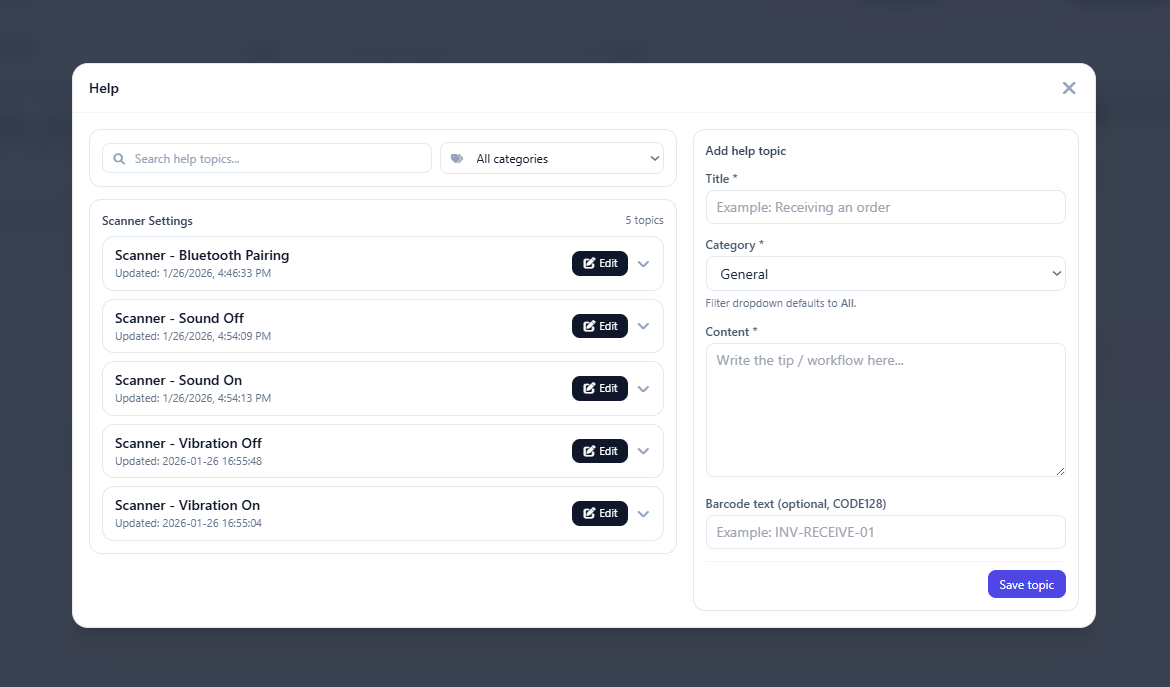
Built-in help manuals for your team

Add help pages, manuals, and tips so your team can self-serve answers (and you don’t have to explain the same thing 900 times).
Perfect for: smoother onboarding and fewer interruptions.
Order requests workflow for teams split into roles
Order requests • Team workflow
Screenshot 6

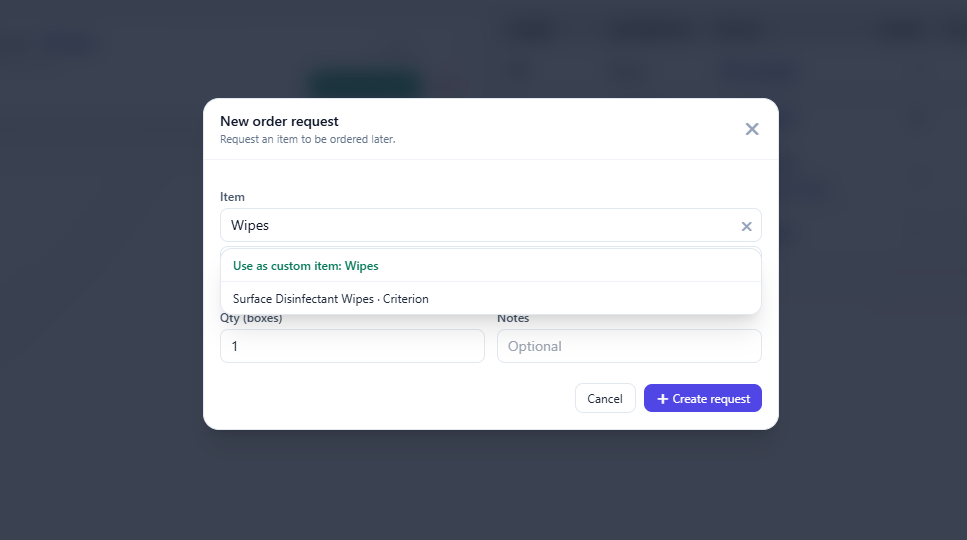
Order requests (optional team split)

New order request flow: staff can submit requests to order. Great if your team is split into positions (ordering vs receiving), or if you want a clean “what needs to be ordered” list.
Perfect for: preventing “we ran out because nobody told me”.
Scanning to search/add/remove, view stock, manual stock edits
Scanning • Stock control
Screenshot 7

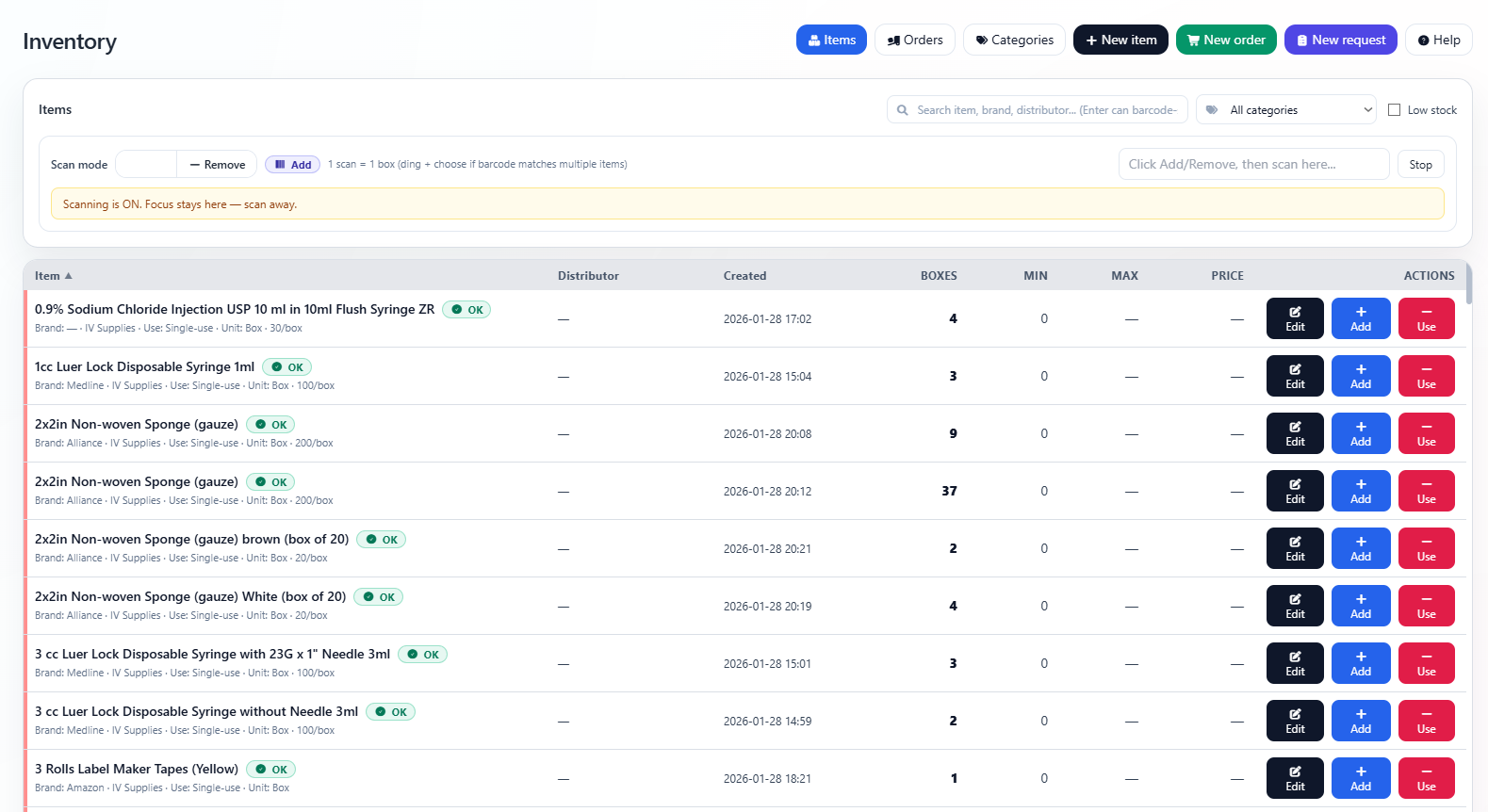
Scanning mode for search / add / remove

Scan to search, add, or remove stock and view all items in stock instantly. Or edit stock manually when needed. Built for speed at the front line.

Perfect for: real-world use (fast hands, not spreadsheets).

What this inventory system can do

Customizable • Clean UI • Office-ready
Items + barcodesAdd/edit items, store multiple barcodes, scan to search fast, and keep everything consistent.
Expiry lots + warningsTrack expiry by lot, set custom warning thresholds per item/lot, and keep safety tight.
Ordering detailsSave vendor/order info for one-click future ordering and repeat purchases without re-entering.
Orders + statusesCreate orders, update statuses, and optionally auto-adjust inventory when an order is received.
Order documentsUpload invoices, PDFs, confirmations, or any related files directly to each order.
Multiple items per orderBundle items under a single order, keep it organized, and reduce the “split tracking” mess.
Returns trackingLog returns tied to specific orders, record counts/amounts/steps, and track return status.
Optional stock adjustmentAutomatically remove returned quantities from inventory (optional) to keep counts accurate.
Categories + colorsCreate categories, assign colors for visual row styling, and filter/search instantly.
Help manuals + tipsCreate internal help pages so your team can self-serve and stay consistent.
Order request workflowStaff can request items to order, perfect for role-splitting (ordering vs receiving).
Scan to add/remove/searchScanning mode supports quick stock changes and instant lookup, plus manual edits when needed.

Not just inventory

If you can describe it, we can build it.
DashboardsTeam dashboards, KPI views, daily summaries, and alerts.
PortalsClient/staff portals with secure documents and workflows.
Booking systemsCustom scheduling, intake, reminders, and rules.
Internal toolsAdmin panels, forms, approvals, and automation.
Custom CRMsTrack clients/leads, notes, pipelines, and follow-ups.
Anything customWe build to your process, not the other way around.
Want this built for your office, with your workflow?
Tell us how your team works, and we’ll shape the system around it. Inventory, ordering, portals, dashboards.. whatever you need.
View demo ↗ Contact Winnipeg Wide Web